Prompt
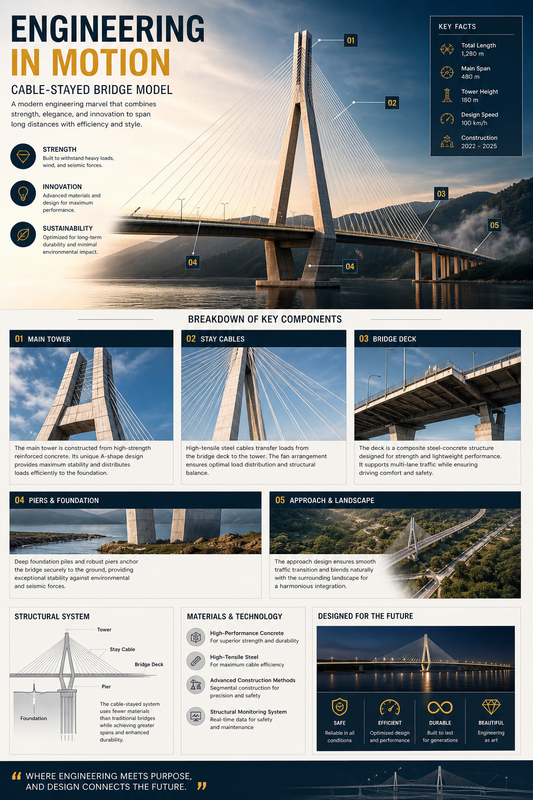
Transform the uploaded image into a professional engineering infographic poster.

Use the image as the main subject and convert it into a structured technical breakdown layout.

MAIN VISUAL:
- Large top section showing the full structure (e.g. dam, building, infrastructure)
- Add subtle pointer lines and markers highlighting key components

LAYOUT:
- Clean grid-based layout
- Top: main title + hero image
- Bottom: multiple detailed sections

CREATE SECTIONS (4–6 blocks):
Each section should include:
- Number label (01, 02, 03...)
- Zoomed-in detail image or crop
- Title of component
- Short technical description (2–3 lines)

SUGGESTED SECTIONS:
- Structural Components
- Materials / Surface
- Functional System
- Mechanical Elements
- Environmental Context

STYLE:
- Minimal, professional, editorial
- Architecture / engineering magazine style
- Light background (white or soft gray)
- Clean spacing and alignment

TYPOGRAPHY:
- Large headline (e.g. "HYDROPOWER MODEL")
- Serif or modern font for title
- Clean sans-serif for body text

DESIGN ELEMENTS:
- Thin lines and connectors
- Subtle borders and panels
- Minimal icons or markers
- Neutral color palette

VISUAL TONE:
- Informative, structured, precise
- Clean and high clarity

OUTPUT:
High resolution engineering infographic poster, structured layout, technical presentation style
Aspect ratio 3:4